
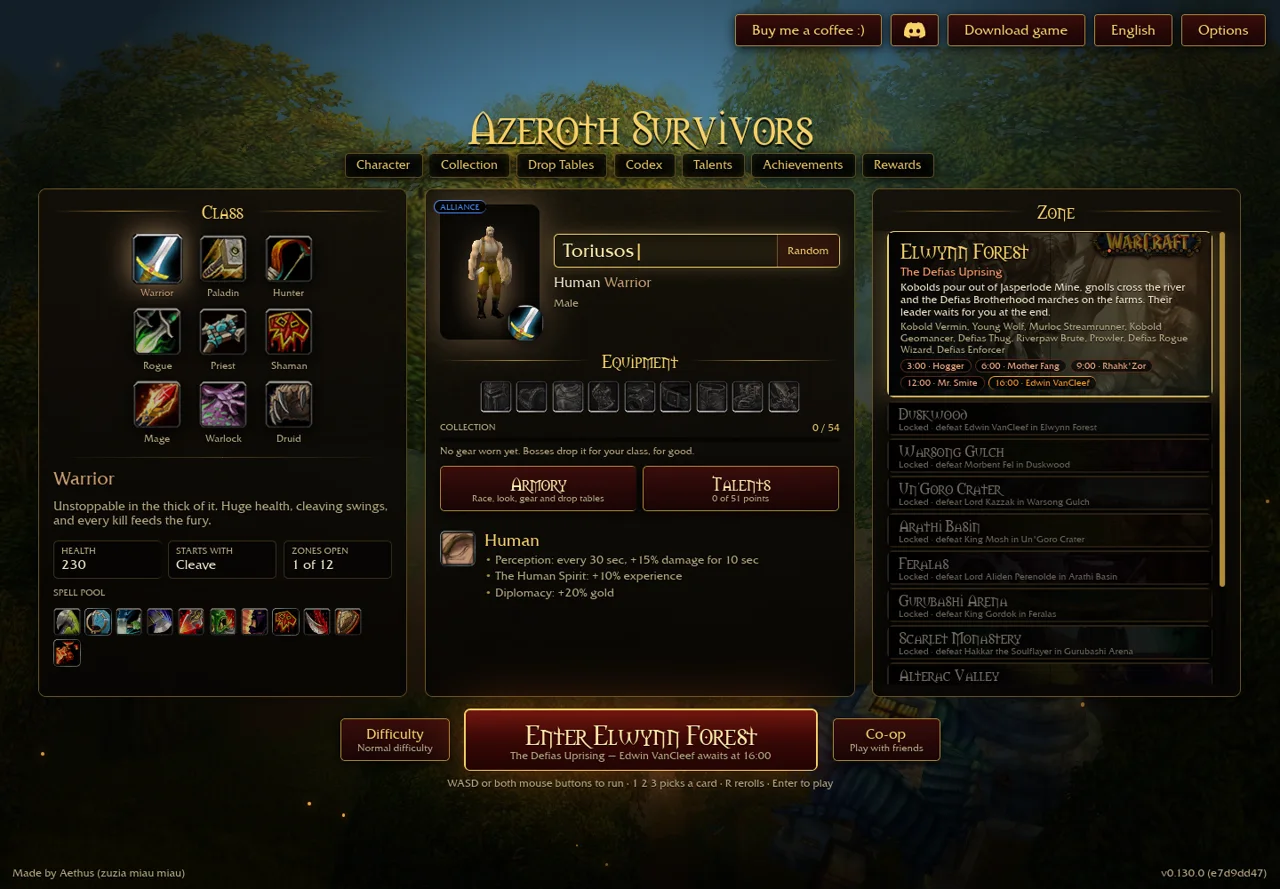
Choose a source before choosing a workaround
- Export your existing save from the client where it still exists.
- For browser play, open Aethus · original browser game ↗ (external website, opens in a new tab) directly and let its data download finish.
- For Windows, follow Aethus · Windows archive ↗ (external website, opens in a new tab) from the original host. Extract the complete archive, keeping the executable and Data folder together.
- Check the displayed game version after opening it. Do not assume the archive matches the current browser patch.
- For other packages or a slow source, check the creator-linked community. A player-shared mirror or lookalike domain is not independently authenticated by its filename.
We did not download and execute the Windows package or certify a checksum. A community GitHub reconstruction is a different project; it is not a transparent substitute for the original save and rules.[1]
Steam Deck: mo7233’s reported Windows route
- In Desktop Mode, extract the Windows archive with its full Data folder beside AzerothSurvivors.exe.
- Add the executable as a non-Steam game and check Start In points to its folder.
- The author reports selecting Proton Experimental.
- For the launch crash they encountered, the author reports using
WGPU_BACKEND=vulkan %command%in launch options. Treat it as a conditional workaround, not a required flag for every build. - If it starts, check movement, camera and upgrade selection before importing important progress.
Source: Reddit user mo7233, thread read 30 October 2026; exact executable version unspecified. We have not reproduced this on a physical Steam Deck or benchmarked it. Later comments mention a Linux package on Discord; its link and current authenticity were not verified here. [2]
Keep platform claims separate
| Route | What is established here | Boundary |
|---|---|---|
| Browser | Original launcher and current v0.130.0 menu inspected. | WebGPU and a usable adapter still required. |
| Windows | Archive linked by original host. | Executable version and successful launch not tested. |
| Steam Deck Windows/Proton | A named player reports the route above. | No universal Proton, FPS or controller guarantee. |
| Android / iPhone / tablet | Browser capability and community reports vary. | Use device-specific checks → |
If a download is incomplete, keep the old save and retry a trusted source; do not disable protections or rename an unrelated executable to imitate the expected file.[1]
Sources & verification
- Aethus · original v0.130.0 ↗ (external website, opens in a new tab) — English menus and public client text inspected 30 October 2026, build e7d9dd47, resource stamp 98f593b6313e. Single primary source; no full-run, multiplayer or hardware benchmark. Runtime placeholders are not inferred.
- Reddit · mo7233 ↗ (external website, opens in a new tab) — Read 30 October 2026. Author reports Windows archive, Proton Experimental and a Vulkan workaround. Exact build unspecified; post/retrieval relative dates differ; not reproduced by this site. Linux-download comments not independently verified.